Practical guides
Shopping list
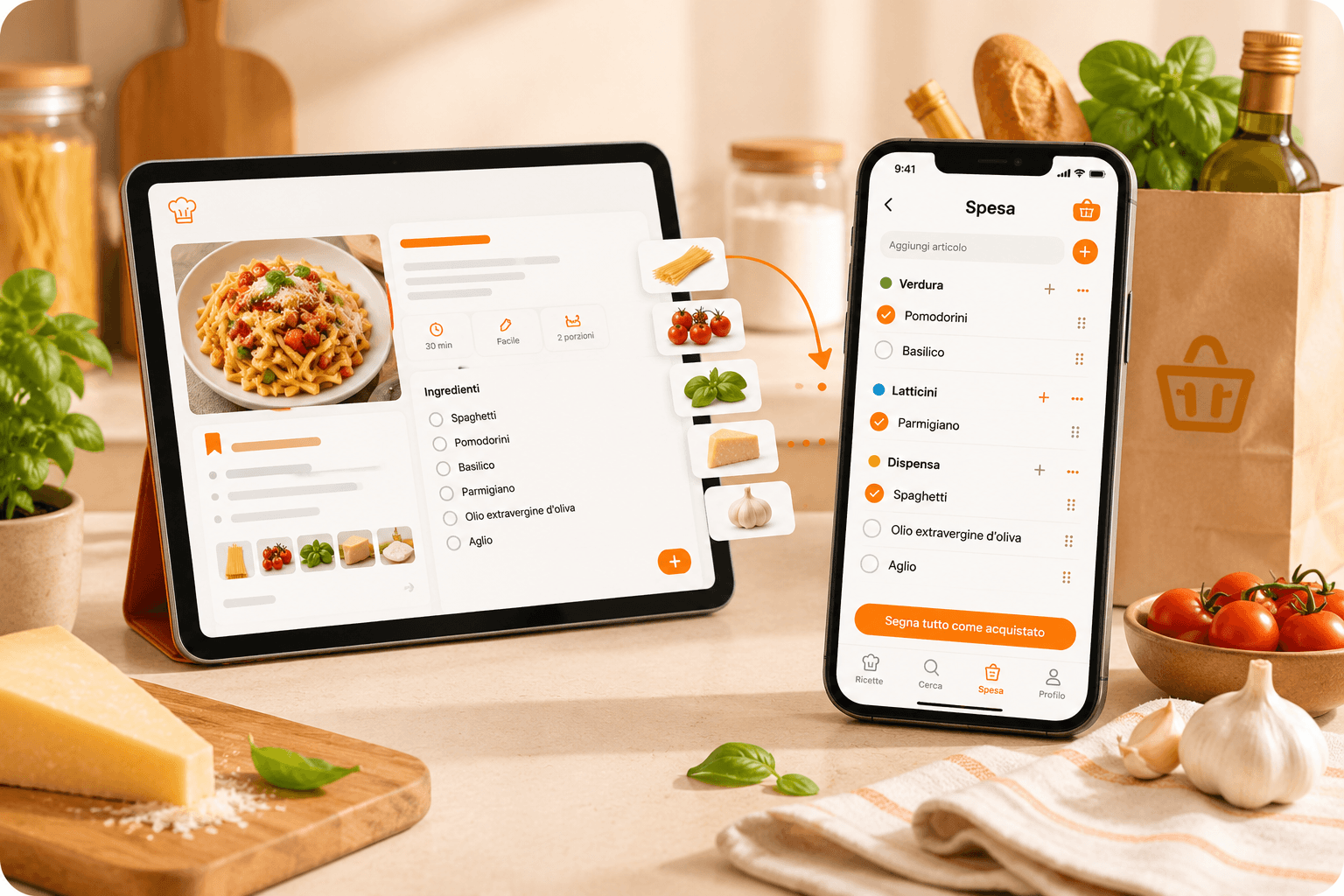
Shopping list from your recipes
A quick reminder for the ingredients you are missing
1 month of Plus included · No card required · No charge
Demo
Sometimes you do not need a full grocery run: you are missing just one ingredient to finish a recipe.
Demo
See myCookSnap in action
Try a sample recipe and see how it becomes an organized card, ready to review and save.
No account needed to see the preview.
What you can do
Quick reminder
Grouped by recipe
Print and share
01
Add only what is missing
Every recipe has a small + next to each ingredient.
When you notice something is missing, add it to the list without copying quantities or rewriting notes.
Perfect for simple moments: I need butter, remember zucchini, buy only cream.
02
Keep notes grouped by recipe
The shopping list is not a messy list: ingredients stay grouped under the recipe title.
If you are preparing several dishes, you immediately know which recipe each ingredient belongs to.
So it works both as a real grocery list and as a reminder before cooking.
03
Take it with you when needed
Open the list from the menu, print it, share it or clear it when you are done.
It syncs with your account, so you can move from computer to phone without losing it.
A small tool designed to remember the one thing you actually needed.
FAQ
Does the shopping list save the whole recipe?+
No. It saves only the ingredients you choose and keeps the reference to the recipe they came from.
Can I use it as a reminder?+
Yes. It is built to remember missing ingredients, small things to buy or quick notes before cooking.
Practical guides
Keep exploring
Discover more ways to save, organize and use your recipes better.
Digital cookbook
Digital cookbook to save and find your recipes
Organize recipes from social media, websites, PDFs and screenshots in a personal digital cookbook with search, favorites, notes and print.
Read the guideSocial and web recipes
Save recipes from Instagram, TikTok, YouTube and blogs
Turn recipes from Instagram, TikTok, YouTube, blogs, websites and screenshots into organized cards saved in your digital cookbook.
Read the guidePersonal Chef
Create custom recipes with what you have at home
Use Personal Chef to create new recipes from ingredients, time, servings and preferences, then save the editable card in your myCookSnap cookbook.
Read the guideStart with your first saved recipe
Build your digital cookbook from links, photos, PDFs or copied text.