Practical guides
myCookSnap guide
How myCookSnap works
Turn recipes from social, websites and notes into an organized digital cookbook
1 month of Plus included · No card required · No charge
Demo
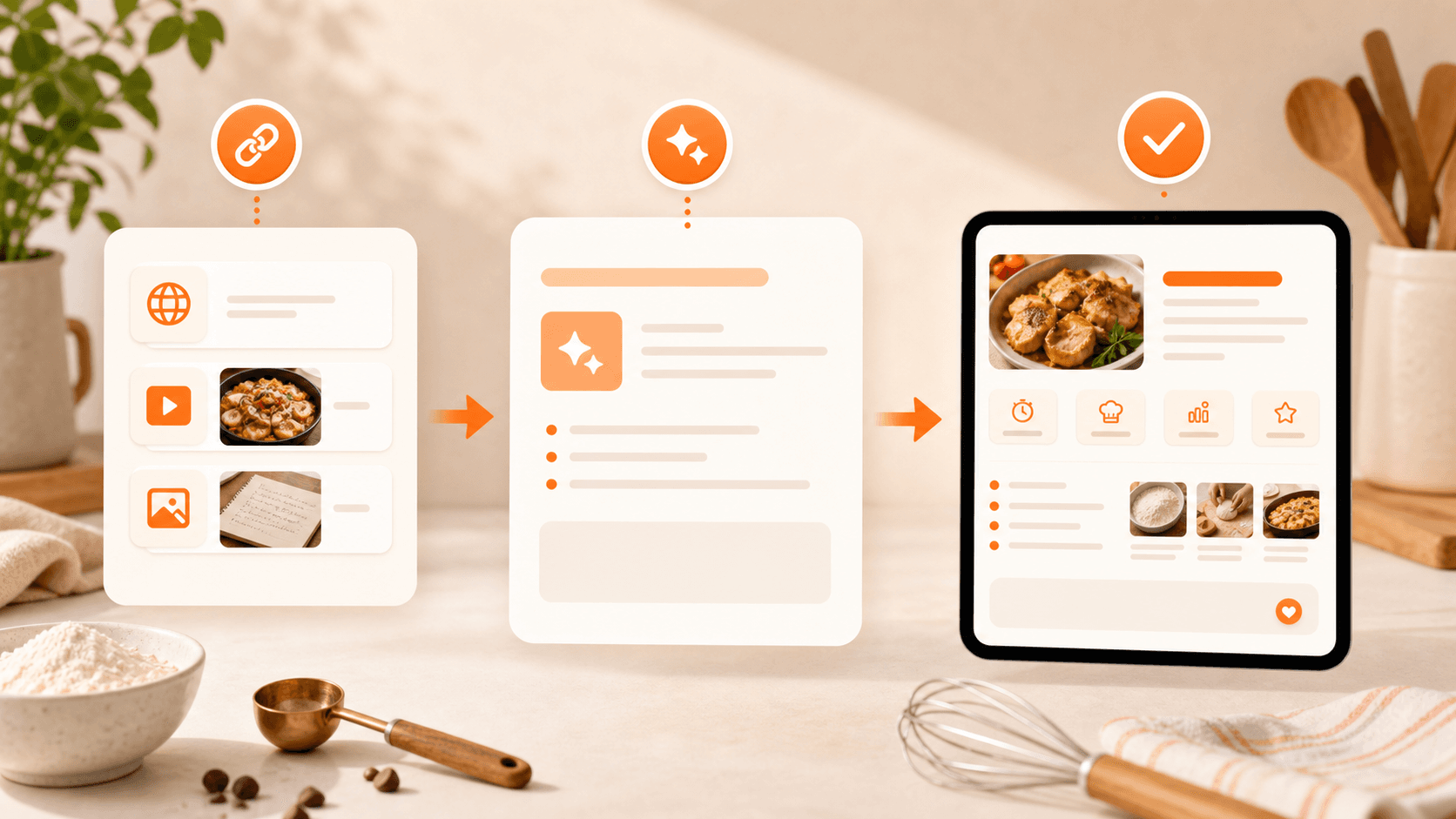
myCookSnap is built for people who find recipes everywhere: Instagram, TikTok, YouTube, food blogs, PDFs, screenshots, quick phone notes and ideas created with the Personal Chef.
Demo
See myCookSnap in action
Try a sample recipe and see how it becomes an organized card, ready to review and save.
No account needed to see the preview.
What you can do
Screenshots and PDFs
Personal Chef
Personal cookbook
01
Capture the recipe source
Start with what you already have: an Instagram link, a TikTok video, a YouTube video, a web page, a PDF, a screenshot or text copied from your notes.
myCookSnap collects the available information and helps turn it into an organized recipe. If the page is incomplete, you can add text, files or images for more context.
It is ideal for saving recipes from social posts, reels, blogs and screenshots without rewriting everything from scratch.
02
Review and edit the draft
myCookSnap prepares a recipe card with title, ingredients, quantities, prep time, servings, method, photo, notes and tags.
Nothing is saved blindly: you can review and correct quantities, steps, category, image or missing details first.
The result is a recipe that stays clear, readable and ready to use in the kitchen.
03
Save everything in your cookbook
When the draft is ready, save it in your digital cookbook.
From there you can search recipes, including ideas created with the Personal Chef, edit them, mark favorites, print them or share them with other users.
You get an organized archive of personal recipes, always available when you cook.
FAQ
Does myCookSnap save every recipe automatically?+
No. It creates a draft first, then you decide whether to save it. This helps avoid incomplete or inaccurate recipes in your cookbook.
Can I edit ingredients and servings?+
Yes. Recipe cards are editable: you can change quantities, servings, notes, timing and photos.
Practical guides
Keep exploring
Discover more ways to save, organize and use your recipes better.
Social and web recipes
Save recipes from Instagram, TikTok, YouTube and blogs
Turn recipes from Instagram, TikTok, YouTube, blogs, websites and screenshots into organized cards saved in your digital cookbook.
Read the guideDigital cookbook
Digital cookbook to save and find your recipes
Organize recipes from social media, websites, PDFs and screenshots in a personal digital cookbook with search, favorites, notes and print.
Read the guidePersonal Chef
Create custom recipes with what you have at home
Use Personal Chef to create new recipes from ingredients, time, servings and preferences, then save the editable card in your myCookSnap cookbook.
Read the guideStart with your first saved recipe
Build your digital cookbook from links, photos, PDFs or copied text.